Characters
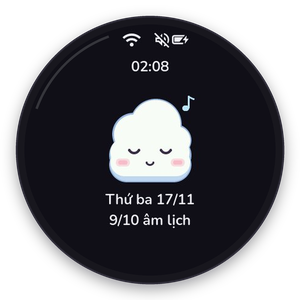
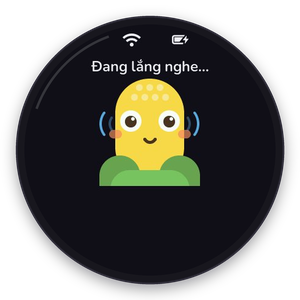
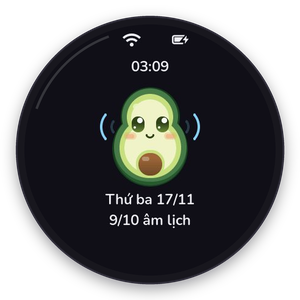
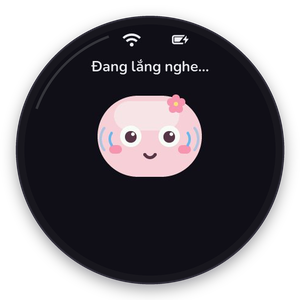
Bắp ships with five characters. Each one has its own Gemini voice, personality and a face drawn natively with LVGL: 23 expressions, blinking, breathing and a mouth that moves with the voice.

Bông
bong · a little cotton cloudGentle, warm and encouraging (default)
Voice: Leda
Bắp
bap · a golden corn cobPlayful, energetic, crunchy chatter
Voice: Puck
Bơ
bo · a creamy avocadoCalm, relaxed, cares about your health
Voice: Achird
Mochi
mochi · a pink mochiSweet storyteller, great with kids
Voice: Aoede
Tí
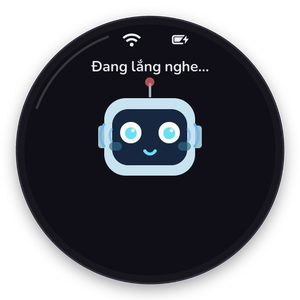
ti · a tiny robotTidy and tech-savvy, an engineer’s helper
Voice: KoreSwitching characters
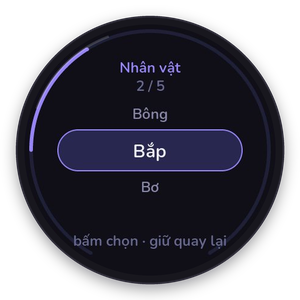
- Wheel: rotate while resting. The next character appears with its tagline.
- Touch: swipe sideways on the resting screen.
- Voice: “call Bắp”, “let me talk to Bơ”. The
character.switchtool switches and restarts the session with the new voice and persona. - Menu: hold the wheel → Characters.
- Web settings: the Personalization tab.
Personalize without rebuilding
In the web settings you can rename a character, change its voice and rewrite its persona. The edits are stored per device in NVS, so two devices can run the same firmware with different personalities: for example, a short-and-funny Bơ on one desk and a gentle Bông on another. Empty fields restore the built-in values.
How a face is drawn
Characters are data in firmware/data/assistant.json. The look object picks a body shape
(cloud, corn, avocado, mochi or robot) and four colours (body, accent, ink,
cheek). assistant_face.cc builds the body, eyes, brows, mouth and extras from those values, so a
new character that reuses a shape needs no C++. See Add a character.
At night the face goes calm: no breathing animation, a still “zzz”, and only a handful of redraws, which keeps LVGL around 1% CPU.