Languages
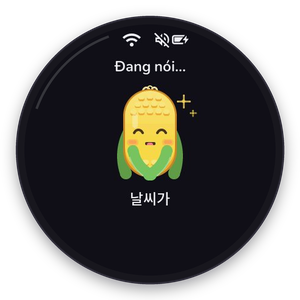
Bắp speaks Vietnamese (default), English, Korean and Chinese. Choose the language in the web settings (Personalization) or in the round menu → Settings → Language.
Changing the language changes:
- the answers: the system prompt tells the character to speak that language;
- the screen: status lines (“Listening…”), menu labels and the date line under the resting face (weekday, solar date, lunar date and festivals) are translated;
- the subtitles: Korean and Chinese text is drawn with a Noto Sans KR/SC subset stored in the assets partition and chained as a fallback font.

Data sources stay Vietnamese (gold prices, lottery, VnExpress), but the character explains them in your language.
Adding a language
Languages are data in firmware/data/assistant.json:
{
  "id": "ja",
  "name": "日本語",
  "prompt": "Always speak Japanese with the user...",
  "ui": {
    "Đang lắng nghe...": "聞いています…",
    "Thứ hai": "月曜日",
    "{w} {d}/{m}": "{m}月{d}日 {w}"
  }
}
ui maps each Vietnamese UI string to its translation; missing strings fall back to Vietnamese.
Date templates use {w} (weekday), {d}, {m}, {ld} and {lm} (lunar day and month). For
scripts that are not in the built-in fonts, add glyphs to the fallback font in the assets
partition.