Wheel and touch

Scroll wheel
| State | Gesture | Result |
|---|---|---|
| Resting | Rotate | Switch character |
| Resting | Double-press | Open the app list; rotate to choose, press to open |
| Talking | Rotate | Volume |
| Talking | Press | Stop or resume listening |
| Any | Hold 1 second | Open the menu (hold again to go back) |
| In the menu | Rotate / press | Move / open |
| Any | Hold 20 seconds | Factory reset: erase all settings |
Touch screen
| State | Gesture | Result |
|---|---|---|
| Resting | Tap | The character giggles |
| Resting | Double-tap | Start talking |
| Resting | Swipe sideways | Switch character |
| Resting | Hold | Open the menu |
| Speaking | Tap | Interrupt |
| Playing music | Double-tap | Stop the music |
| In the menu | Swipe, or tap the item above/below | Move; tap the middle item to open; hold to go back |
The round menu
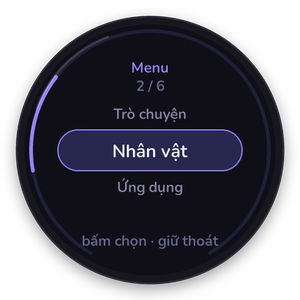
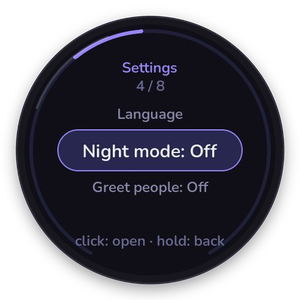
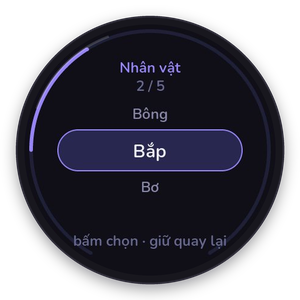
Hold the wheel (or the screen) to open it: Chat, Characters, Apps, Radio, Settings, Power off. An arc on the rim shows where you are, the current item sits in a pill and its neighbours fade above and below.
Settings has volume and brightness sliders, the language, toggles for night mode, presence, morning greeting, quiet nights and greeting people, device info, Wi-Fi setup and restart. Power off asks for confirmation.