Web settings and OTA
Every Bắp serves a settings page at http://bap-xxxx.local, where xxxx is the last four hex
digits of its MAC address (the IP shown on the screen works too). It is a single page with three
tabs and works well on a phone.
What you can change
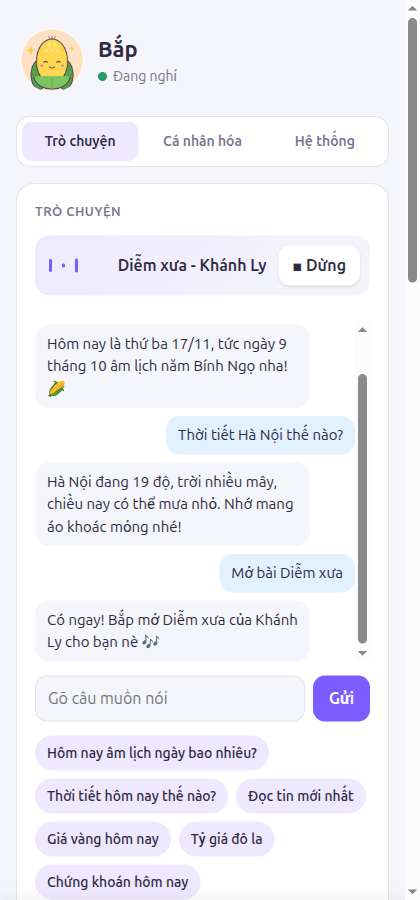
- Chat: the conversation log, a text box to talk by typing, quick-question chips, radio stations, the app list, timers and alarms, notes, and a now-playing bar with a Stop button.
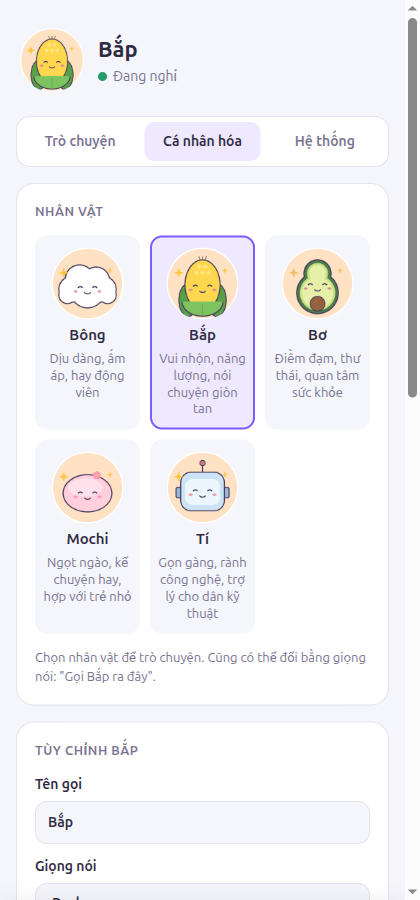
- Personalization: the character, its name, voice and persona; long-term memories; language; city (used for weather and air quality).
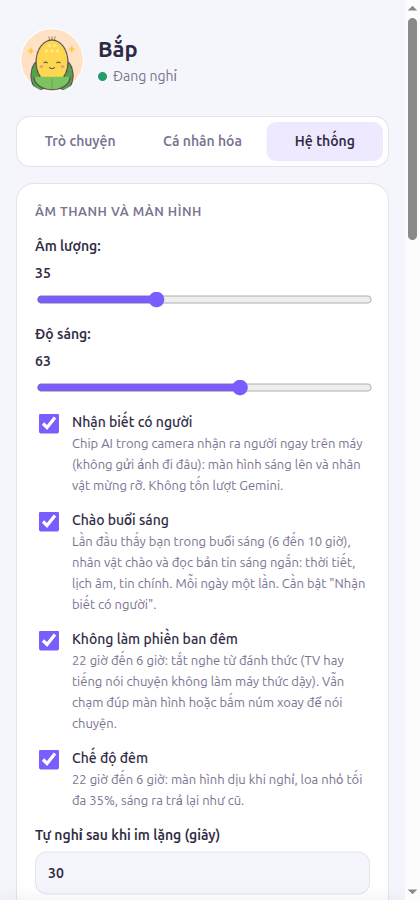
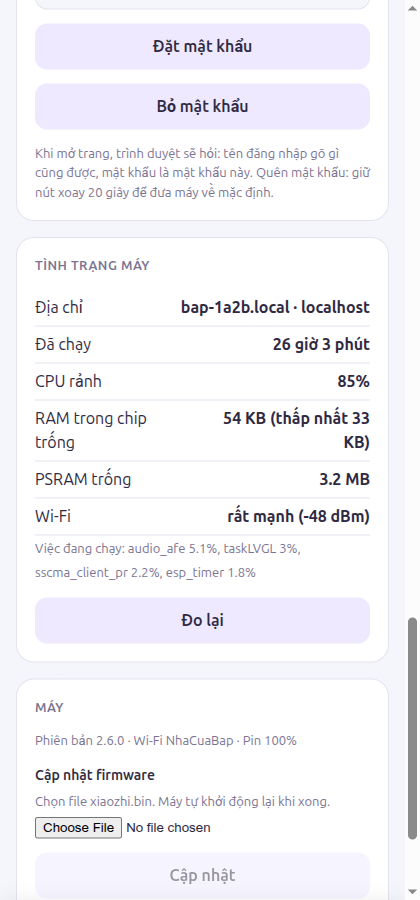
- System: volume and brightness (applied live), notice people, morning greeting, quiet nights, night mode, idle timeout, Gemini keys and model, Google Search, extensions (webhooks), saved Wi-Fi networks, the settings password, device health (uptime, CPU, internal RAM, PSRAM, Wi-Fi signal, busiest tasks), firmware update and restart.
The Save bar only slides up when something changed. Most settings apply at the next conversation.
Password
Anyone on your Wi-Fi can open the page until you set a password (System tab). The browser then asks for it (any user name). The device stores only a salted, iterated SHA-256 hash. Forgot it? Hold the wheel for 20 seconds to reset the device to defaults.
Firmware update over Wi-Fi (OTA)
Pick a xiaozhi.bin in the System tab, or from your computer:
firmware/ota.sh bap-xxxx.localAn update takes about 30 seconds. While it uploads, the wake word, camera inference and touch polling pause so the whole radio and CPU go to the transfer; the device reboots into the new slot when the image is verified. Bắp only updates when you ask, so it never interrupts a conversation.
JSON API
| Route | Purpose |
|---|---|
GET /api/config, POST /api/config | Read (keys masked) and save settings |
GET /api/status | State, now playing, uptime, log, alarms, version |
GET /api/perf | Per-task CPU and stack headroom, heap, uptime, RSSI |
POST /api/say | Send text as if spoken |
POST /api/action | Device actions (talk, stop, wheel events, Wi-Fi setup, reboot) |
POST /api/tool | Call any tool directly |
POST /api/app | Start an app |
GET/POST /api/wifi | Saved networks |
POST /api/ota | Upload firmware |
GET /face, GET /screen.jpg | Face preview, live screenshot of the display |
Every POST needs an X-Bap header. Browsers cannot add custom headers to a cross-site form, so a
random web page cannot drive your device. Still, keep the page on a trusted network and never
forward port 80 to the Internet. For remote access, use a VPN such as Tailscale or WireGuard.
Desktop companion (optional)
tools/bap-desktop is a small Rust program that pushes status cards to the device
(POST /api/notify). Point it at a device with --device bap-xxxx.local or BAP_DEVICE; set
BAP_PASSWORD if the page has a password.